
Upcoming Events
- WVNET Offices Closed
- May 25 – Memorial Day Holiday
- June 19 – West Virgina Day (Observed)
- Banner & Degree Works Office Hours* – Tuesdays at 11:00 AM
- Brightspace Office Hours* – Tuesdays at 1:00 PM
- Web Support Office Hours* – Wednesdays at 1:00 PM
*excluding holidays

Executive Director’s Note
Spring is a great time to reflect on how far we’ve come and look ahead with optimism. It has been a busy season at WVNET — from strengthening our network infrastructure to keeping pace with the rapidly evolving technology needs of our member institutions. As artificial intelligence tools reshape campus environments and cybersecurity threats continue to grow in sophistication, our team has been working hard behind the scenes to ensure our members are supported, protected, and prepared. We remain committed to proactive network monitoring, timely security updates, and close collaboration with state and federal partners to keep your data and systems safe. Remember, security is a shared effort — enabling multi-factor authentication, keeping software current, and training your users are simple steps that make a big difference.
Most importantly, we want you to know that WVNET’s commitment to you has never been stronger. We are here to be a reliable partner — ready to answer the call, anticipate your needs, and help your institution focus on its mission. It is a privilege to serve you, and we remain as committed as ever to being the reliable partner you can count on — today and in the years to come.
Staff Recognition
The Moby Award
The Moby Award represents a powerful testament to workplace collaboration and mutual appreciation, where employees have the opportunity to nominate and celebrate their colleagues’ outstanding contributions. Unlike traditional top-down recognition programs, this award empowers team members to directly acknowledge the hard work, innovative thinking, and exceptional performance of their peers. By allowing employees to highlight and honor the achievements of those they work alongside daily, the award fosters a culture of genuine respect, encouragement, and collective achievement within the organization.
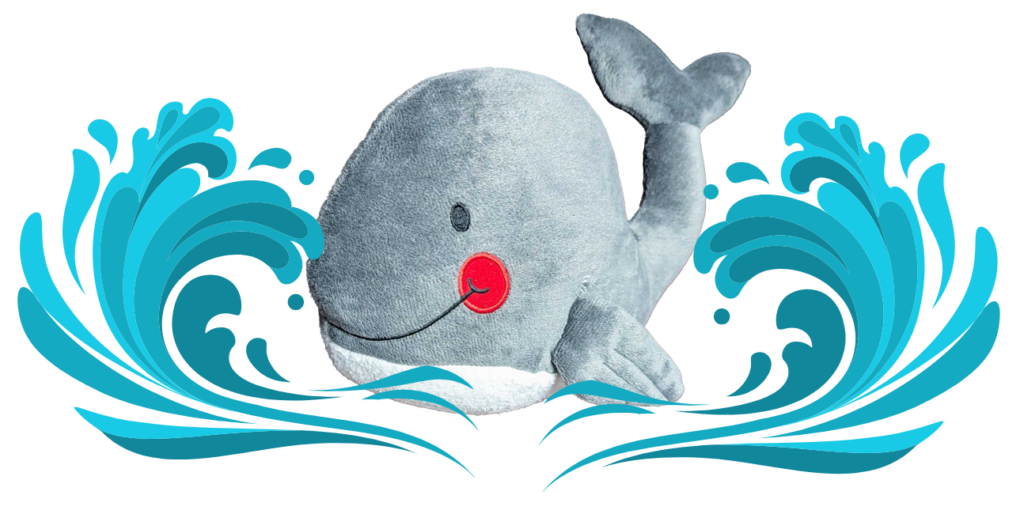
Moby Winners 2026
March 2026 – Business Office Team: Erin Grondalski, Phil Snitz, Rebecca Clise, Libby Cress, Buffy Vehse
Department Updates
Human Resources
New Employees: No new team members to announce this period.
Promotions: No promotions to report at this time.
Staff Recognition: Congratulations to the WVNET Business Office team recognized at the most recent All Staff Meeting!
The summer is packed full of major deadlines for the WVNET business office. We have quite a few contracts up for renewal effective July 1 as well as preparing for the FY26 Financial Audit which takes place in late summer/early fall. Please keep an eye out for emails from the business office regarding renewals specific to your organization, such as for your Microsoft licenses through Crayon, as well as emails requesting information from and/or providing information to you for the audit.
If you need to contact anyone in the WVNET Finance-Business Office, you may reach the appropriate party at the following:
- Accounts Receivable – Libby Cress: lcress@staff.wvnet.edu or 304-293-5192 ext. 50451
- Accounts Payable – Buffy Vehse: evehse@staff.wvnet.edu or 304-293-5192 ext. 50487
- Manager of Business Operations and Procurement – Phil Snitz: psnitz@staff.wvnet.edu or 304-293-5192 ext. 50483
- Chief Financial Officer – Erin Grondalski: egrondalski@staff.wvnet.edu or 304-293-5192 ext. 50458
Client Services
Distance Learning
WVNET Advances Accessibility Efforts with YuJa Panorama in Brightspace
The U.S. Department of Justice has extended the ADA Title II compliance deadline for web content and mobile applications for state and local government entities with a total population of 50,000 or more. The original deadline of April 24, 2026, has been extended to April 26, 2027, giving public entities additional time to meet the required digital accessibility standards.
As part of WVNET’s continued commitment to accessibility and inclusive learning, WVNET has acquired YuJa Panorama to support ADA compliance efforts within the Brightspace Learning Management System. YuJa Panorama is an LMS accessibility platform that integrates with D2L Brightspace and helps institutions improve the accessibility of digital course materials.
Panorama provides tools that allow instructors and administrators to identify accessibility issues, review accessibility scores, and offer students alternative formats such as HTML, audio, ePub, electronic Braille, and other accessible versions of course content. These features will help support a more consistent and proactive approach to accessibility across Brightspace courses.
Although the compliance deadline has been extended, WVNET is moving forward now to help institutions prepare early, improve course content accessibility, and provide a better learning experience for all students. The implementation of YuJa Panorama represents an important step toward meeting ADA requirements while strengthening digital access across WVNET-supported Brightspace environments.
Banner & Degree Works
Summer is almost here and we’re excited to share a wealth of resources to help you enhance your Banner/DegreeWorks knowledge.
- Tuesday Office Hours are held online every Tuesday (except holidays) at 11am ET. It’s your opportunity to ask questions of the WVNET Banner/DegreeWorks experts in a casual environment. No appointments necessary. Just click on the link to join us.
- TLC (Teaching & Commons) website. TLC is a repository for content created by WVNET for our user community. You will find a variety of handouts on a wide range of Banner/DegreeWorks topics. Check out our current most popular handout: Removing the four square menu in Self Service Banner 9
- The OZ ticketing system is where you can reach out to us on your own time. Can’t make it to Office Hours? Create a ticket and talk to us on your schedule.
- Join the WVNET BUG Listserv for collaboration regarding Ellucian products and upgrades. Connect with other WV institutions, swap tips, and solve Banner/DegreeWorks challenges together. We also host a monthly virtual session!
- Join the WVNET DegreeWorks Listserv to share ideas and receive news about patches and upgrades!
- And finally, you can always call us at 304-293-5192.
As always, the Banner/DegreeWorks teams remain committed to supporting your technological journey. We look forward to hearing from you!
Development Team Updates
Are Your PDFs Accessible? New Resources from WVNET Can Help
PDFs are among the most commonly published file types on government and education websites — and among the most frequently inaccessible to users who rely on screen readers and other assistive technologies. With updated DOJ Title II compliance deadlines now in effect — April 26, 2027 for larger entities and April 26, 2028 for smaller ones — ensuring your publicly posted documents meet WCAG 2.1 Level AA standards is more pressing than ever.
WVNET’s development team has published a new guide walking through what makes a PDF inaccessible, how most errors originate in the document creation process rather than the PDF itself, and what steps organizations can take to address both existing documents and future workflows.
Alongside the article, we’ve released a free application-specific checklist covering the six tools most commonly used to create PDFs in education and government settings: Microsoft Word, PowerPoint, Excel, Adobe InDesign, Canva, and Adobe Acrobat Pro. Each checklist identifies the exact steps to take — and where to find them — before a document is exported.
WVNET has also adopted Pope Tech as our accessibility scanning platform, available to West Virginia higher education institutions through our services. Pope Tech scans your entire website — including PDFs — and provides detailed, prioritized reports on accessibility errors across your digital content. The West Virginia Higher Education Policy Commission is actively encouraging institutions to add their sites to the scanner as part of meeting Title II compliance requirements. If your institution isn’t yet using Pope Tech and would like to learn more, contact WVNET to get started.
- Read the full article → https://wvnet.edu/blog/technology-tips-and-alerts/accessible-pdfs-on-public-websites-why-it-matters-and-how-to-get-it-right/
- Download the PDF Accessibility Checklist → https://wvnet.edu/wp-content/uploads/2026/04/WVNET-pdf-accessibility-checklists.pdf
Telecommunications
The frequency of security incidents continues to grow. According to Cloudflare research, 78% of security leaders surveyed experienced an incident in the last 12 months. Attackers are leveraging AI to make cyberattacks faster and harder to detect. Organizations of all sizes are being targeted, and remote access systems continue to be a frequent entry point for attackers. Federal agencies like CISA and the FBI have both warned that these kinds of attacks are increasing in both volume and sophistication, especially against critical infrastructure and service providers.
2026 Cloudflare Threat Report (PDF)
To stay ahead of these threats, we’ve been putting a lot of effort into strengthening our core infrastructure. Our new VPN platform is now in place and gives us a much more secure foundation for VPN services. One of the biggest improvements is support for multi-factor authentication (MFA), which adds an extra layer of protection beyond just usernames and passwords. Even if credentials are compromised, MFA makes it significantly harder for unauthorized users to gain access. By migrating our VPN server to a modern platform, we strengthened security controls, reduced risks associated with legacy technology, and improved protection for remote access and point-to-point tunnels. Staff are testing the new server to make sure it works properly before releasing it for customer use later this year.
We have also continued to make strong progress on our firewall modernization efforts. The northern portion of the network has already been successfully migrated to the new platform, and we are now nearing completion of the same upgrade across the southern region. This transition provides more advanced inspection capabilities, stronger threat detection, and greater flexibility in how we manage and segment traffic. It also helps standardize the environment, which improves maintainability and enables us to respond to issues more efficiently.
Taken together, these upgrades represent an important step forward. WVNET is continuing to position itself to meet future challenges head-on, building on recent progress while planning for the next generation of network infrastructure improvements to keep our services secure, reliable, and resilient.
Systems
SPF Flattening
If your institution publishes an SPF record — and you should — there is a hard ceiling sitting over it: ten DNS lookups. RFC 7208 caps the number of lookup-causing mechanisms a verifier will process before it gives up with a PermError, and that limit was set back when “we use three email services” was a reasonable description of most organizations.
Today that math breaks quickly. Microsoft 365 alone consumes two lookups. Add a marketing platform, a help desk, a mass-mailing vendor, an LMS notification service, an SSO welcome-mail provider, a survey tool, and a billing system, and you are over the limit. When you cross it, every receiver that fully evaluates SPF returns PermError, which most DMARC policies treat as a hard fail. Legitimate mail starts failing authentication, and nobody notices until a faculty member’s password reset never arrives. A DMARCguard scan of 5.5 million domains earlier this year found that roughly 4.8% of SPF-enabled domains already exceed the ten-lookup limit on every message they send.
SPF flattening is the most commonly suggested fix: instead of include:spf.protection.outlook.com, you resolve the include yourself and substitute the underlying IP addresses. No DNS lookups, no PermError. Problem solved — except it isn’t:
- Cloud providers rotate sending IPs constantly. A flattened record is a snapshot. Vendor data this spring reported roughly a fifth of Microsoft 365 tenants seeing SPF failures within 30 to 90 days of hardcoding IPs.
- You inherit your providers’ attack surface. Flattening shared SaaS IP ranges authorizes every other tenant on those ranges to send as your domain. The 2024 EchoSpoofing incident — 14 million spoofed messages per day from shared SPF infrastructure — is the canonical example.
- You lose the audit trail. Fifty ip4: entries with no indication which service each IP belongs to. Six months later, when something breaks, good luck.
- DNS size limits bite. Large flattened records start hitting the 255-character TXT string and 512-byte UDP response limits.
The more durable approaches are subdomain delegation (give each major sender its own subdomain with its own ten-lookup budget while the visible From: stays on your apex domain), aggressive housekeeping (drop unused includes, avoid a and mx mechanisms you don’t need, prefer regional includes over global ones), and SPF macros where they fit. And before adding any third-party include, check whether the vendor actually uses your domain as the Return-Path — Mailchimp, HubSpot, Brevo, and Constant Contact don’t, so their includes in your root SPF record buy you nothing.
If you’re running into the ten-lookup ceiling — or want to make sure you aren’t about to — reach out. We’re happy to help.

How are we doing?
Your satisfaction is very important to us. WVNET has implemented a customer satisfaction survey link in our OZ ticketing system. When a help ticket is closed, the reporter will receive an email update with a link to allow customers to fill out the survey, and, if desired, request a call from a manager. To access the form in the OZ email, click on the link.
If you’re not using OZ and you wish to take the survey, please feel free to complete the survey at https://wvnet.edu/satisfaction-survey/. We look forward to hearing from you. Have questions? Contact Harmony Garletts at hgarletts@staff.wvnet.edu.